
Clone dashboards to scale security insights across teams
Creating consistent, comprehensive dashboards across teams just got easier. You can now clone entire dashboards complete with all widgets and their defined scopes, standardizing reporting and scaling insights across teams with a single click.
Whether you’re establishing baseline metrics for new teams, replicating proven dashboard configurations, or ensuring consistent visibility across different parts of your organization, dashboard cloning eliminates repetitive setup work and helps maintain uniformity in how security data is tracked and shared.
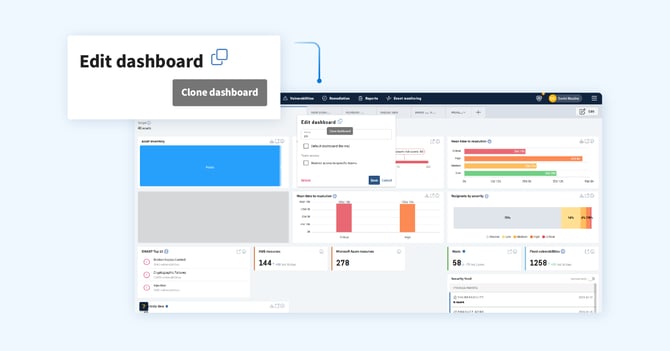
Here’s what makes this powerful:
- Complete replication
Every widget, scope configuration, and dashboard setting is preserved when cloning, ensuring nothing gets lost in translation.
- Faster team onboarding
Create standardized dashboards for new teams instantly, rather than rebuilding from scratch each time.
- Consistency at scale
Maintain uniform reporting standards across your organization while still allowing teams to customize their cloned dashboards as needed.
- Proven configurations, replicated
Once you've built a dashboard that delivers the right insights, replicate it across teams to drive smarter, more consistent security operations.
This enhancement builds on the recent dashboard upgrades that introduced team and tag-based filtering, turning your dashboard into an even more powerful command center for distributed security operations.
Learn how to clone a dashboard here.
Manager & Auditor roles for streamlined access control
We’re introducing two new system roles designed to give central teams the visibility and control they need to support distributed security operations, without granting unnecessary administrative access.
The “Manager” and “Auditor” roles bridge the gap between standard users and full administrators, enabling security leaders, compliance teams, and operational managers to oversee assets and vulnerabilities across the organization while ensuring least privilege.
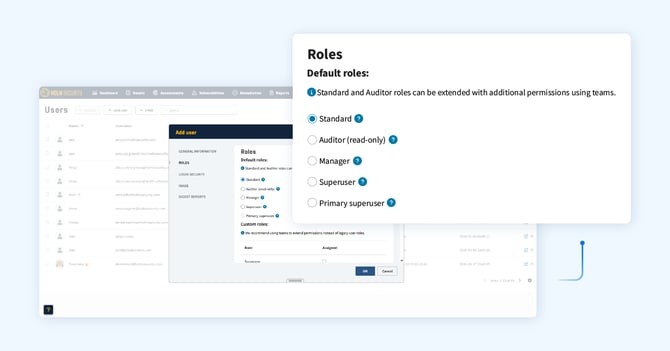
Here’s how the new roles work:
- Manager
Manage everything except account administration. This role can handle day-to-day security operations - managing assets, vulnerabilities, scans, and teams - while account-level settings, user management, and billing remain restricted to Superusers.
- Auditor
Able to view everything a Manager can access, but can’t make changes (read-only). Perfect for compliance teams, security auditors, or stakeholders who need comprehensive visibility without the ability to modify configurations or data. The Auditor role can be extended with additional permissions using teams, allowing you to tailor access control to match your organizational structure.
These roles complement the existing Standard and Superuser roles, giving you more granular control over user access and behavior within Security Center. Whether you're establishing a center of excellence, enabling cross-team collaboration, or meeting compliance requirements for separation of duties, these new roles help you structure access in a way that makes sense for your organization.
Recommended practice
We recommend using teams to extend permissions for auditors rather than relying solely on legacy user roles, ensuring your access control remains scalable and aligned with how your security operations function in practice.
Additional enhancements
- We’ve optimized performance of the platform API when fetching assets and vulnerabilities.
- We’ve improved formatting for line breaks in certain vulnerability information fields.
- We’ve addressed the issue of being unable to delete paused scans.