
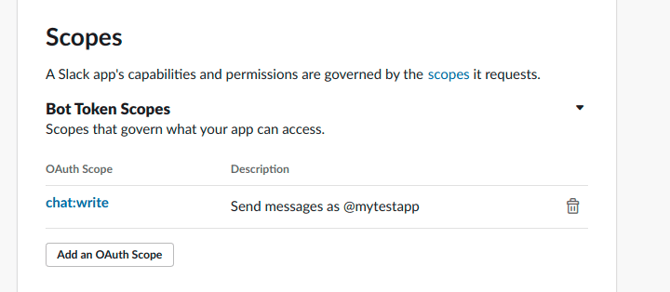
For security purposes, Slack introduced a new Bot Token that lets you set different permissions, limiting access to specific endpoints. The new Bot Token scope must include the chat:write permission, which can be found under OAuth & Permissions. The classic bot token is still available for use.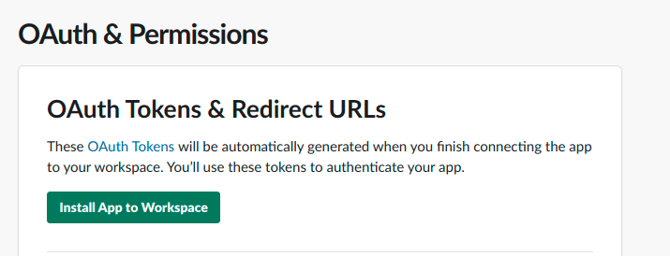
To generate a new Bot User OAuth Access Token with the correct permission, you need to install the app in your Workspace.
- Navigate to OAuth & Permissions in your Slack app settings.
- Specify chat:write as the Bot Token scope.
- Scroll up and click Install App to Workspace.
- Allow the requested permissions.
- The OAuth Access Token is generated.
- Done!
💡 Tip: In Slack, invite the bot to the channels you want it to operate in. Go to the channel, click View member list > Invite others, and enter the bot username.
For more information, please contact our customer support.