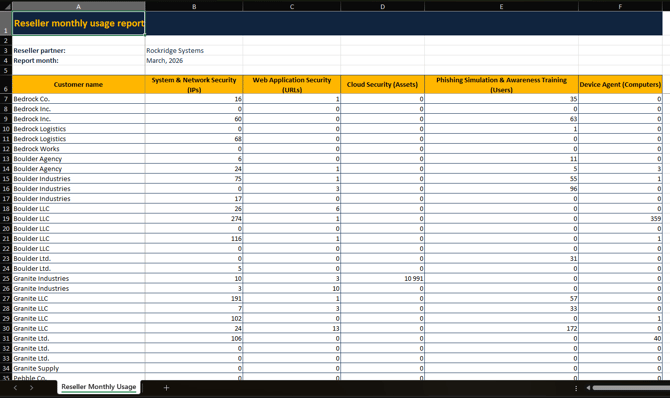
In the Reseller report,you are able to get overview information related to all of your customers in your account.
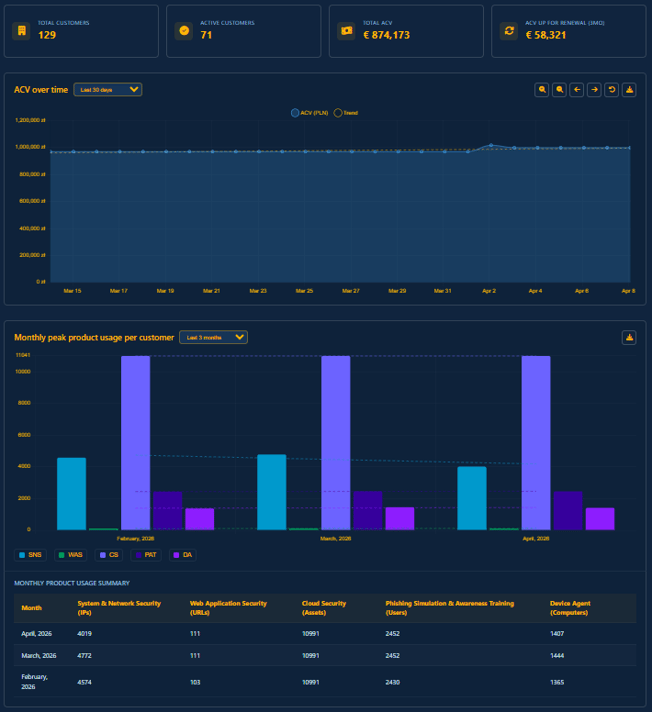
Summary section
At the top, you’ll find four primary indicators that offer an at-a-glance summary of your customers’ financial and account status.

- Total customers: Displays the total number of customer companies that are currently linked to your partner account.
- Active customers: Indicates the active subscription count from all of your associated companies.
- Total Annual Contract Value (ACV): This represents the total ACV for all active subscriptions across all customers as of today's date. This helps you understand the current financial value of your portfolio.
- ACV up for renewal (3mo): Displays the total ACV for all customers with subscriptions scheduled to renew within the next three months.
ACV development
The ACV development chart tracks how your total Annual Contract Value has changed over time. The chart displays daily data points with a trend line showing the overall trajectory of your portfolio value.
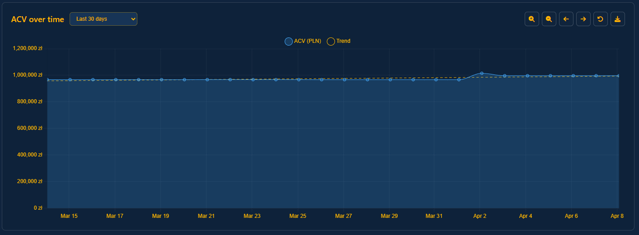
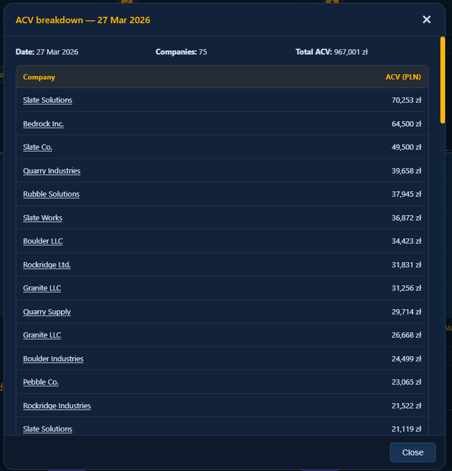
- Click any point on the chart to view a per-customer ACV breakdown for that specific date.
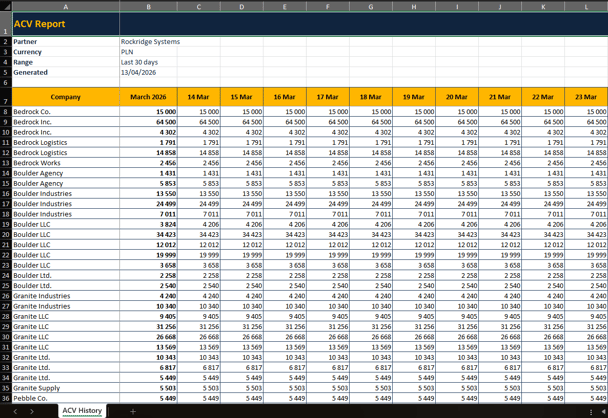
- Use the Export to Excel option to download the full ACV history. The export includes per-company daily values and monthly summaries, giving you a complete record of portfolio growth.
Product usage
An interactive bar chart displays aggregated product usage across your customer base for each reporting period.
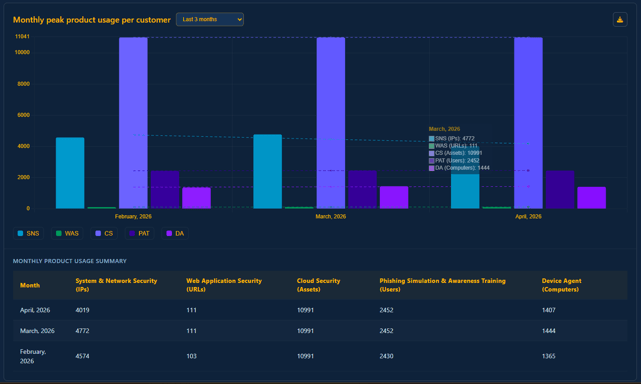
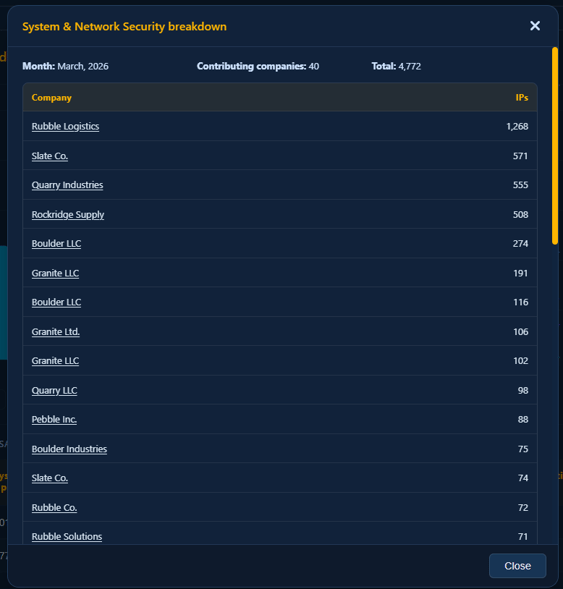
- Click any bar to drill down and see which customers contributed to the total, broken down by product.
- Use the product legend below the chart to deselect individual products and focus on specific usage data.

Export to Excel
Your reporting data can be exported to a formatted spreadsheet for analysis, internal reporting, or billing reconciliation. Exports include per-customer usage breakdowns and summary totals. To export, click the Export to Excel icon  in the top-right corner of the relevant report section.