
This article describes the permissions required for a TOPdesk operator account to successfully set up the integration with Security Center.
Required permissions
The operator account used for the integration must have the following permissions for first and second-line tickets: read, write, create, and archive.
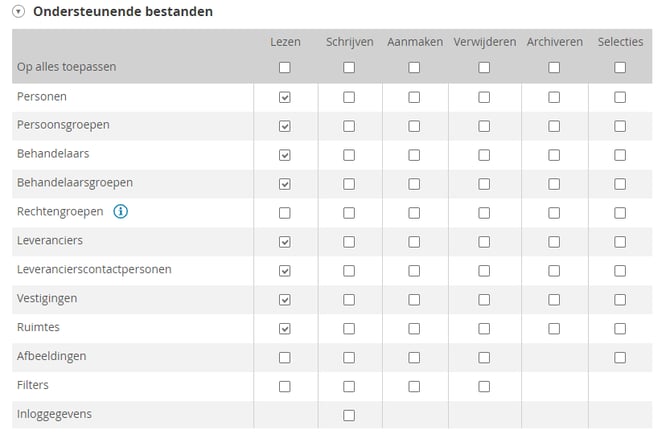
Configure the permissions
Configure the required permissions on the TOPdesk operator account:
- Open your TOPdesk operator account settings.
- Set the first and second-line ticket permissions to read, write, create, and archive.
- Check all required checkboxes as shown in the screenshot above.
- Click Save.
- Done!
Tip: If you are using an operator group instead of an individual operator account, apply the same permissions to the group settings.
Once the permissions are configured, you can proceed with setting up the integration. See the related article for more information: How do I integrate with TOPdesk?
For more information, please contact our customer support.