We’re excited to share a major update to the Partner Portal, introducing new capabilities designed to make workflows easier for MSSP and reseller partners managing growing customer portfolios.
This release focuses on delivering greater control, clearer visibility, and more flexibility in how you manage customers, users, and reporting. The enhancements fall into five key areas, each aimed at streamlining day‑to‑day operations and reducing manual effort.
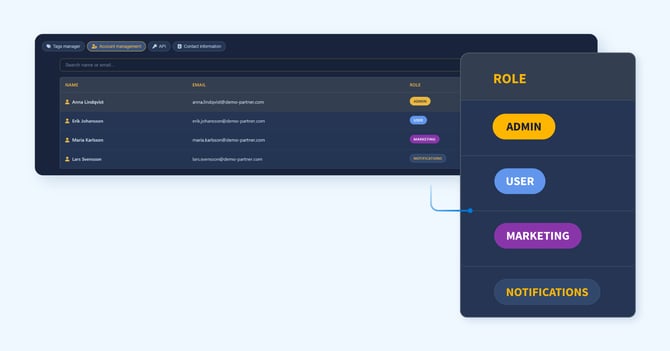
Smarter access with customer-level user assignments
Portal users can now be assigned to one or more specific customers. This ensures each user sees only what’s relevant to them and that alerts and notifications reach the right person.
- Assigned users are scoped to only their designated customers
- Admins always retain full visibility across all customers and partnerships
- Users without assignments continue to see all customers, as before
- Assignments can be updated at any time from the Users section in Settings
This is ideal for teams with multiple users and customer accounts.
Read more about the account management here.
Centralized customer contact information
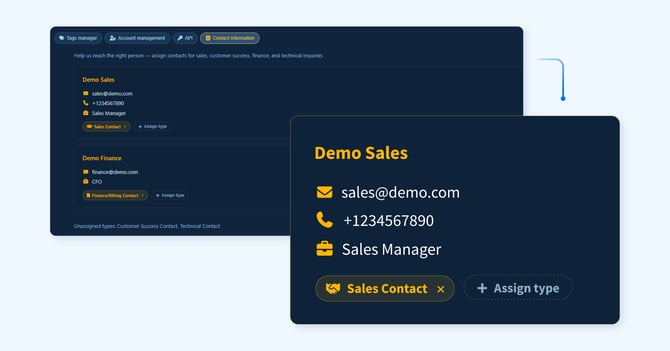
A new contact information feature ensures your entire team has access to consistent, up‑to‑date contact details regardless of who manages the relationship day to day.
At the partner level, you can define contacts representing your organization for sales, support, finance, and technical matters. At the customer level, you can add and maintain contact records for each individual customer.
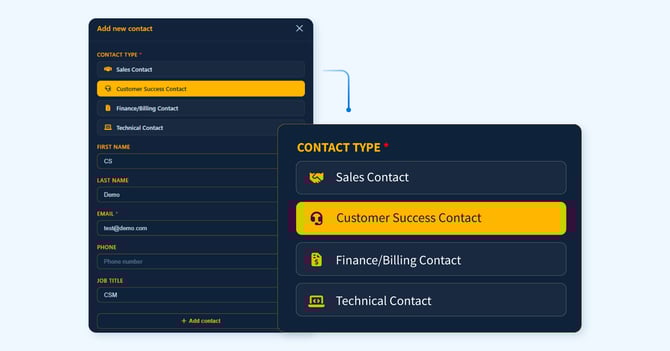
Supported contact types include:
- Sales contact: commercial relationship and renewals
- Customer success contact: day‑to‑day account management
- Finance / billing contact: invoicing and payment inquiries
- Technical contact: product and integration support
Contacts can be added, edited, reassigned, or removed at any time.
Read more about the contact information here.
New API for automation and integration
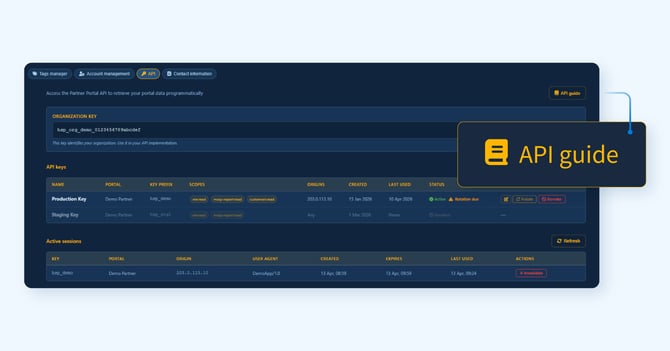
The Partner Portal API provides REST‑based, programmatic access to your portal data, making it easier to integrate with your internal tools and workflows. This is useful for automating billing reconciliation, feeding portal data into internal dashboards, and connecting data with your own systems.
The API provides access to:
- Reporting period data
- Customer lists
- Engagement metrics
- Churn risk indicators
Security and access controls include:
- API keys scoped per partnership
- Keys that support configurable IP restrictions
- Key rotation without service disruption
- Sessions locked to the originating IP address
Full documentation is available via the API Guide link in your portal settings.
Read more about the API here.
Improved reporting
We have enhanced reporting for both MSSP and reseller partners to provide deeper insight across your portfolio and at the individual customer level.
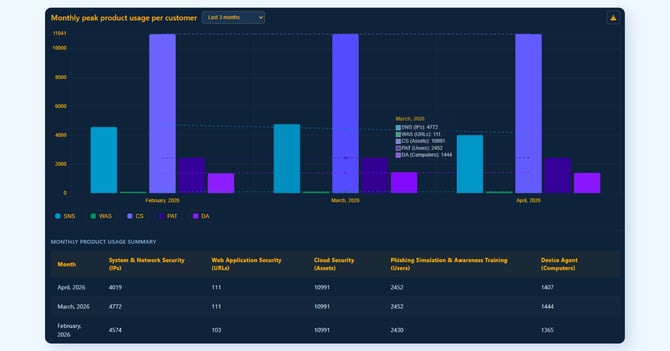
Product usage visibility:
- Interactive bar charts show aggregated product usage by reporting period
- Click into any bar to view a per‑customer breakdown
- Usage counters on the dashboard provide a real‑time snapshot across all active customers
Export to Excel:
- Export reporting data to formatted Excel files
- Includes per‑customer usage breakdowns and summary totals
- Ideal for internal reporting, analysis, and billing reconciliation
ACV development for reseller partners:
- A new ACV trend chart shows how total Annual Contract Value evolves over time
- Daily data points and a trend line highlight portfolio growth
- Click any point to see a per‑customer ACV breakdown for that date
- Export full ACV history to Excel, including daily values and monthly summaries per company
Read more about the reseller report here and the MSSP report here.
Expanded admin user management
Admins now have full control over all users within the Partner Portal, including the ability to create and manage additional admin accounts.
Available roles include:
- Admin: full access to all portal features, users, reports, and settings
- User: access limited to assigned customers only
- Marketing: access to the Partner Kit
- Notifications: receives email notifications only, no portal login required
Admins can add users (including other admins), edit roles, reset passwords, and remove users as needed. The portal enforces a minimum of one active admin account at all times.
Read more about the account management here.